

SubaruLT
Members
-
Joined
-
Last visited
Everything posted by SubaruLT
-
Any progress?
-
-
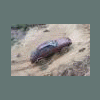
MUD!!!
-
Can't wait for test drive video.
-
Some from Lithuania
-
Nice:headbang:
-
What tyres size?
-
Maybe u can upload them in to youtube??
-
http://www.ultimatesubaru.org/forum/showthread.php?t=132239Build suspension lift. about 2.4inch about 1inch. Cut body, rear door and 31 tyre fit. 235/75 R15 tyres Mechanical winch.What tyres size?Interesting project, maybe u can make some more photo? And how much it weight?That my car RX pickupWhat height blocks which mounted on the axle, transmission?In europe 1 gen legacy wagon: ej18 have 4.111 final and about 1.59 low, ej20 have 4.111 final end about 1.19 low, ej22 have 3.900 final and about 1.19 low.From which model are the rear hub and half axle?the other one. https://picasaweb.google.com/113755893119854350273/SubaruBuggyTest#5659705599298122130maybe someone know something about this?ThanksFrom which car is radiator fan???i check the wire. NOT CONNECTED!! I hope its work when i connect it:banana:. Thanks for information.I have the same problem, can u tell which wire was not connected?

Account
Navigation
Search
Configure browser push notifications
Chrome (Android)
- Tap the lock icon next to the address bar.
- Tap Permissions → Notifications.
- Adjust your preference.
Chrome (Desktop)
- Click the padlock icon in the address bar.
- Select Site settings.
- Find Notifications and adjust your preference.
Safari (iOS 16.4+)
- Ensure the site is installed via Add to Home Screen.
- Open Settings App → Notifications.
- Find your app name and adjust your preference.
Safari (macOS)
- Go to Safari → Preferences.
- Click the Websites tab.
- Select Notifications in the sidebar.
- Find this website and adjust your preference.
Edge (Android)
- Tap the lock icon next to the address bar.
- Tap Permissions.
- Find Notifications and adjust your preference.
Edge (Desktop)
- Click the padlock icon in the address bar.
- Click Permissions for this site.
- Find Notifications and adjust your preference.
Firefox (Android)
- Go to Settings → Site permissions.
- Tap Notifications.
- Find this site in the list and adjust your preference.
Firefox (Desktop)
- Open Firefox Settings.
- Search for Notifications.
- Find this site in the list and adjust your preference.