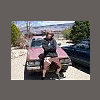
December 9, 200619 yr here you go guys...my lifted '84 subaru wagon, w/ pk davis lift, third eye and all the toys http://www.ultimatesubaru.org/photos/showgallery.php?cat=500&ppuser=13622
December 9, 200619 yr I love the car, but did you take those pics with a cell phone camera or what?!?
December 12, 200619 yr Author And yet your not even old enough to drive it legally... :-p neither are you:confused:
December 13, 200619 yr I think there are a lot of people that aren't old enough to drive (mentally...) Sorry, stupid comment. ..... I really don't know what to say, Maybe something like, "sick ride m8" nawhhh, too ricer. Ummm... how about yay for subies!
December 13, 200619 yr Nice looking ride, pal. Where did you get the brushguard? I've been looking for one just like that for my car. Thanks, BB
December 14, 200619 yr Author Nice looking ride, pal. Where did you get the brushguard? I've been looking for one just like that for my car. Thanks, BB thanks, well that brushguard is just a smaller version of the standard and supposedly it just bolts rite up...i bought it like this with all the good stuff. :headbang:

Please sign in to comment
You will be able to leave a comment after signing in
Sign In Now