
Leaderboard




Popular Content
Showing content with the highest reputation on 12/12/20 in all areas
-
1 point
-
1 pointEA81 is push rod. Cam is gear driven. The condenser thing is just a capacitor to help reduce EMI. Transistors have 3 leads. I'm not sure on EA81s, on EA82s, the ignition transistor is on the coil bracket.1 point
-
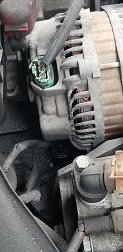
Yep, that switch is definitely leaking. Aftermarket ones are about $8, Subaru MSRP is $22.75. I've had a couple aftermarket ones leak in pretty short order and have been putting Subaru ones in. Even used an OEM Subaru one in my Celica when it began to leak (I was working at the dealership at the time, so my price on a Subaru one was cheaper than a Toyota one).1 point
-
Do not damage the threads when replacing. Overtightening is bad. That might be the oil pressure sender rather than the switch. But either way same deal - remove part, replace, easy job.1 point
-
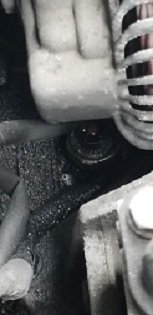
Update: Definitely not the CV boot - fully in tact. I snooped around as best I could looking for fluids, and found a decent amount of oil pooled up. My pictures probably aren't the greatest (it's tight in there), but the first photo is the alternator, for reference. Below it, there's a tube leading to what I think might be an oil pressure switch. It's got a dollop of oil on it. There's also oil spattered around and pooled in a few nooks around the area, but this seems to be the "high point". So maybe this is a quick and easy fix. Make sense to anybody, lol ??
 1 point