-
The Awesome *NEWER* Generation Picture Thread
88Subi4x4 replied to Red92's topic in 1990 to Present Legacy, Impreza, Outback, Forester, Baja, WRX&WrxSTI, SVXMy 2000 outback - Legacy KYB GR2's / H&R springs [/ [/url]URL]
-
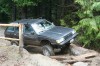
Roll call for lifted Soobs 2015. Gallery thread, no chat.
NWWO - 8.5" lift - 31x10.5 15's - EJ2.2 swap with D/R - 15" Pugs
- LIFT 10" FOR LEGACY 1996
-
LIFT 10" FOR LEGACY 1996
- NWWO Run 04/26
Looks like I will make it! its been a while........- 2014 Roll Call for Lifted Rides!
1991 Loyale --EJ2.2 --9" BR Lift --31x10.5 BFGs --Dual range --rear disc brakes --15" Pugs --Outback sport seats- NWWO Tahuya Feb 22
I may be in depending on my work schedule should know shortly.... would be bring my car probably head down with Jeff and Nathaniel from up north....- Hockey Puck lift, how bad is it for your car?
- Hockey Puck lift, how bad is it for your car?
- Lifted EA82 sedans...?
I see me They rubbed a little bit.... without mud flaps not really at all- NWWO June 15th
Being so quick to jump on this one.... unfortunately I will not be able to make it..... wheeling does sound much more fun then sitting through a graduation in spokane........- Have a major question that might get me flammed off the site...
supply you with all the parts..............- New Owner
Welcome! There is a ton of good info on USMB.- NWWO June 15th
- Good Wheeling Shots! Add you favs! (Comment Free Thread)
- NWWO Run 04/26
Account
Navigation
Search
Configure browser push notifications
Chrome (Android)
- Tap the lock icon next to the address bar.
- Tap Permissions → Notifications.
- Adjust your preference.
Chrome (Desktop)
- Click the padlock icon in the address bar.
- Select Site settings.
- Find Notifications and adjust your preference.
Safari (iOS 16.4+)
- Ensure the site is installed via Add to Home Screen.
- Open Settings App → Notifications.
- Find your app name and adjust your preference.
Safari (macOS)
- Go to Safari → Preferences.
- Click the Websites tab.
- Select Notifications in the sidebar.
- Find this website and adjust your preference.
Edge (Android)
- Tap the lock icon next to the address bar.
- Tap Permissions.
- Find Notifications and adjust your preference.
Edge (Desktop)
- Click the padlock icon in the address bar.
- Click Permissions for this site.
- Find Notifications and adjust your preference.
Firefox (Android)
- Go to Settings → Site permissions.
- Tap Notifications.
- Find this site in the list and adjust your preference.
Firefox (Desktop)
- Open Firefox Settings.
- Search for Notifications.
- Find this site in the list and adjust your preference.
