Skip to content
View in the app

A better way to browse. Learn more.

Ultimate Subaru Message Board

A full-screen app on your home screen with push notifications, badges and more.

To install this app on iOS and iPadOS
  1. Tap the Share icon in Safari
  2. Scroll the menu and tap Add to Home Screen.
  3. Tap Add in the top-right corner.
To install this app on Android
  1. Tap the 3-dot menu (⋮) in the top-right corner of the browser.
  2. Tap Add to Home screen or Install app.
  3. Confirm by tapping Install.

New Hatch!

Featured Replies

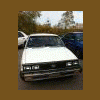
88hatch.jpg


Just picked up this beautiful Gl hatch.


The thing is rust free and only has 170xxx miles on it!


:banana:

Wow that thing looks clean! Congrats on the good buy!

nice hatch man, almost as nice as my wagon:lol: only cooler, wish i still had a hatch.....................


RV

meh, hatch's are just wagons for quitters!!! I like it though!

Nice find! If only we had rust free EA81 cars here in Europe...

Nice find man! looks like my old baby. Where did you find it and how much??


Congrats on the sweet car!!!

  • Author

Thanks everyone!


I found it on the New Hampshire CL and picked it up for $650. :banana:


It's an 88 sadly its not 4wd, but fwd will have to do.


I plan on keeping it stock and just getting as much as I can out of it till i'm done with college.


once i'm done with school ill have enough money to insure my WRX again!


IMG_0326-1.jpg

Please sign in to comment

You will be able to leave a comment after signing in

Sign In Now

Account

Navigation

Search

Search

Configure browser push notifications

Chrome (Android)
  1. Tap the lock icon next to the address bar.
  2. Tap Permissions → Notifications.
  3. Adjust your preference.
Chrome (Desktop)
  1. Click the padlock icon in the address bar.
  2. Select Site settings.
  3. Find Notifications and adjust your preference.