July 21, 20187 yr 1 hour ago, 78brats said: Can I also get the LHS blue bezel part number? I didn’t realize any other colors were available. 760123220, iirc.
July 21, 20187 yr Thank you so much, I really appreciate it. I put in an order, hopefully it goes through.
August 12, 20205 yr Hi, I know this was 2 years ago, but I need to find those plastic parts for my car... where?
August 12, 20205 yr Have your dealer look at the west coast supply house. Not sure where you are but here in CT that’s what I had my local dealer parts guru good guy do for me. God luck.
August 13, 20205 yr Find someone who has a 3D printer as someone has created a file to print them, left and right you would hope, thingyverse has file I believe
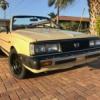
June 5, 2025Jun 5 Anyone 3D printing these yet for a reasonable price as well? I need a left and a right for an '84 in tan. Fronts are sun cooked and rears have survived so far. Edited June 5, 2025Jun 5 by lrgvanman
June 5, 2025Jun 5 Really sorry I can’t recall the guy. I’ll look around in my stuff. I bought a set of various bits in a lot. I got black but pretty sure he had other colors and a close enough blue and tan. So yes, there’s at least one guy. But pardon my forgetfulness at this time. It’ll come to me. I’m old now.
June 6, 2025Jun 6 Look up Geci and see what you come up with. He might do different colours on request. I don’t know as I haven’t looked into it. Cheers Bennie

Please sign in to comment
You will be able to leave a comment after signing in
Sign In Now