Leaderboard
-
pontoontodd
Members3Points2618Posts -
Numbchux
Members2Points7630Posts -
idosubaru
Members1Points26995Posts -
DaveT
Members1Points5095Posts



Popular Content
Showing content with the highest reputation on 08/19/21 in Posts
-
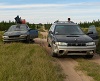
B and I drove my 99 Subaru Outback to Vegas last week. We entered and completed the Vegas to Reno, the longest off road race in the US, in 17 hours 40 minutes. It was great to see most people cheering us on before, during, and after the race. Coming around a corner in the dark to a broken down buggy and our lights lighting up the three hairy butts of the guys who mooned us was hilarious. We were guessing a lot of the course workers near the end of the race may have been cheering since they finally got to go home more than cheering us on. Only 165 of the 294 trucks and buggies that entered finished. One flat tire and a shifter cable issue were the only mechanical issues we had. The course was consistently rougher than when we tried it in 2016 and 2017. There were very few sections, I'd say 10-20%, where we could go 40+mph without worrying about breaking the car. We have averaged 35-40 in past desert races and could have done that for a while on this course but probably not for 500 miles. Our average with stops was 27mph. We switched driving and refueled about every third pit or 100 miles (which at our pace was 3-4 hours). Baja pits fueled us and had tires at those pits for us. Thanks again to slammo for coming out and helping us. We did replace a CV axle and hose clamped the loose end of the steering rack back in place for the ride home. which wagon is more beat? Then we did a little sightseeing and trail riding and drove it back home.3 points
-
Well done! https://www.thedrive.com/news/42017/homebuilt-subaru-outback-survives-500-mile-rally-that-killed-trophy-trucks2 points
-
1 pointRead the OBDII codes - what codes or pending codes exist? Are there any lights on in the dash? Is there any notable history - car sat for years, you just bought it, it was wrecked last year...etc. Or was this a perfectly reliable commuter for the last 10 years?1 point
-
1 pointThe brown box here in my pics are what your chasing in parts 45&46 I hope that gives you a bit of an idea of what you’re chasing. Cheers Bennie1 point
-
I haven't had enough different CTS failures to have a solid answer for that. I did have another problem once that seems similar - the car wouldn't idle. Had to hold the throttle to keep it idling. It was also intermittent. Turned out to be the wire in the engine harness that goes to the Idle Air Control Valve. If that coil doesn't get drive, or it's dead, no [or not enough] idle air.1 point
-
That sounds like fuel pressure. The pump primes up, but then cant keep the pressure up when its running. Will it start back up if you shut the key off and try again? The car will run with almost any vacuum leak, just poorly. I've had the brake booster unplugged and it still started.1 point
-
1 pointStock ECU is junk. Don't try to *manipulate* it's digits with some piggy back box. That's just junk being assimilated by more junk. And MegaGarbage is also junk. It's old now and they never work the way you think (hope) they will. The LINK ECU's have the EA82 optical trigger programmed into them (since it's identical to the Nissan 360 Optical pattern). They will easily run the EA82T and then later an EJ when you bag up that hot garbage and send it to make beer cans like you should have already done. GD1 point
-
All fixed! HGs were actually ok. Bloody frost plug let go. Makes sense as it didn't get hot.1 point