
Leaderboard
-
KiwiGL
Members2Points319Posts -
el_freddo
Members1Points4486Posts -
azdave
Members1Points178Posts -
1 Lucky Texan
Members1Points10144Posts



Popular Content
Showing content with the highest reputation on 01/06/23 in all areas
-
^ agreed! It’s awesome rocking up to your old school car and open it with a remote! Cheers Bennie1 point
-
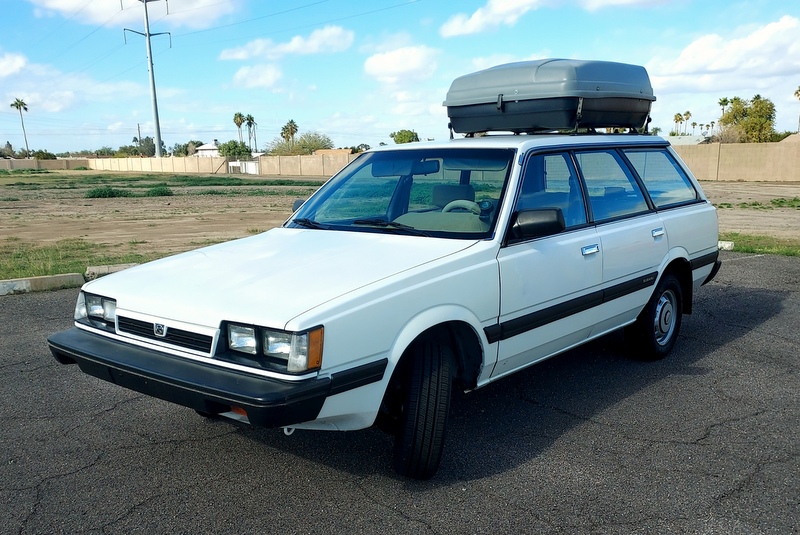
I have power door locks with a remote and love it. If you manually lock or unlock the driver's door from inside (without using the remote) all the other door lock and unlock as well. I used the same kits in my 87 Mazda B2000 and several of my Corvairs too. Hardly any of my cars have power widows so I don't really mind the manual window cranks. I just added a cargo carrier so I can look the part around town and off road but it's kind of big so I might swap it out to a roof top basket and reduce the wind resistance as well.
 1 point
 -
Should add remote control for the central locking! One of the best mods I've done to this car, super cheap to do and dead easy.1 point
-
Yes, in some ways I like the EA82, it does have a wonderful unique rumble to it, subtly different from the later model engines. It will still eventually be getting an EJ though.1 point
-
Been done thousands of times. Depending on the LED, the dimmer doesn't always work. And they have to be wide angle LEDs, or you'll end up with bring and dark areas. Just know that the alternator circuit is looking for specific resistance across the battery light bulb, so either leave that one incandescent, or add a resistor to mimic it. Otherwise your alternator won't charge.1 point
