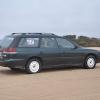
January 2, 20179 yr Hi guys! My subie needs a clutch replacement and I will do it myself. .... so I NEED YOUR ADVICE ! What clutch do you recommend? http://amzn.to/2iXQFqb http://amzn.to/2iBU0yK http://amzn.to/2iBPKiO Thanks for the help!! I will post pictures of how I did the clutch replacement. Hope it will help you later! My Leggy is a 1996 GL 2.0 SOHC Wagon Cheers, Fran
January 2, 20179 yr I've only ever had experience with the Exedy clutch. Never had an issue with that brand. Not to say the others aren't good.
January 3, 20179 yr I've used " LUK " many times with no problems, exedy as well. Not heard of the other brand... could be fine although I would not recommend anything but a factory flywheel.
January 3, 20179 yr I've always been partial to exedy, however the clutch in my legacy was going bad so I got the LUK (because I could do overnight shipping on amazon prime....). The clutch didn't chatter so I just buffed the flywheel and slapped the LUK clutch kit on there. 15,000 miles so far and it works really well, engages smoothly, no chattering or anything like that. I've been happy. Of course installing it correctly, cleaning everything with brake clean and lubing all movement surfaces helps with smoothness.

Please sign in to comment
You will be able to leave a comment after signing in
Sign In Now