April 10, 200520 yr You know the pit crew Was cussing that one at the end of race day..... Looks Like My kinda Fun.....John
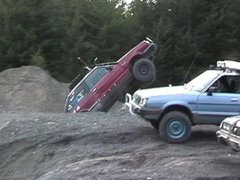
April 10, 200520 yr Pictures are definitely worth a thousand words. Yes they do... The superu was better but it'd snowed since then
April 10, 200520 yr You know the pit crew Was cussing that one at the end of race day..... Looks Like My kinda Fun.....John yeah especialy if its with the design they had issues with for water crossing like last year and hey here is mine
April 11, 200520 yr damn... now i want to see my parents legacy wagon all "prettied" up...but then i wouldn't get it cleaned... and my dad would be all, "why is the car all muddy?" and there is no way i can pin this on the dog... hmmmmm... good thing my brat is going! i'll get some mud pics maybe next weekend... assuming i can find mud...
April 11, 200520 yr My WRXs get plenty muddy just trying to get in and out of my new driveway lately.
April 12, 200520 yr I saw a nice STi going down the highway few weeks ago. Looked like he'd found a nice, muddy dirt road to rally down. Dirty sweet.
April 12, 200520 yr S'ko, could you get a larger version of that pic, and Soobmater, can you do the same for your avitar?

Please sign in to comment
You will be able to leave a comment after signing in
Sign In Now