May 1, 200817 yr I wish i had a digital picture of my old hatch that i had in highschool. I need to get some slides converted to digital.
May 1, 200817 yr Here is my hatchback the day I bought it. And shortly thereafter: And in action: And hundreds more pictures are here if you'd like to see them: http://gallery.usmb.net/hatch -Brian
May 2, 200817 yr Here is mine in her former glory: I resurrected it from a womans field 3 years ago, killed 1,000 wasps and dirt dobbers, threw a battery in and drove it home. $150. Backfired everytime you shifted and shot a flame out the back. Got pulled over once a week. Here is how it sits today: 86BRATMAN should be down again in a few weeks to take her off my hands.
May 2, 200817 yr And shortly thereafter: -Brian okay what wheels are those? I like the way you did the red on them looks very cool!
May 2, 200817 yr okay what wheels are those? I like the way you did the red on them looks very cool! They are from a chevy luv. 14" steels. Here are some pictures from the painting process: http://gallery.usmb.net/album56
May 2, 200817 yr They are from a chevy luv. 14" steels. Here are some pictures from the painting process: http://gallery.usmb.net/album56 Looks like the sex bots got a hold of a lot of your hatch comments.
May 2, 200817 yr Yeah please disregard all that. ontop of it, the gallery software is bugged and I can no longer edit or remove comments.
May 2, 200817 yr Author thnx guys:popcorn: I really appreciate the pics I cant decide if I want to restore "Shelby" or wheel some more:D
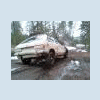
May 2, 200817 yr Here's mine before all the mods. To see it after the mods visit this thread: http://www.ultimatesubaru.org/forum/showthread.php?t=85464

Please sign in to comment
You will be able to leave a comment after signing in
Sign In Now