
Scott in Bellingham
Members
-
Joined
-
Last visited
-
I should have one in Bellingham got a pic of what you want? are you talking rear hatch?
-
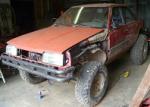
OK guys whats the lowest gears we can have in a Subaru transaxle? Ive been running EA82 Dualrange 5 speeds the 85-88 model they have a 1.59 Low range ratio with a 3.9 final ratio my question is can I go any Better? if so what bits and parts work from what models I play offroad and like the Subaru layout just would prefer some lower gears and stronger rear axles thanks Scott
-
wheelbase of 78
-
heres mine http://www.sjrlift.com/images/SJR_Buggy1.jpg
-
Parts are available here in NW Washington complete rear diff if needed
-
That size tire requies a Forester or Outback strut to clear, may require a lift and or body trim
-
with your Forester you can go upto 29" tires , the spacing is not needed that would be for a Impreza or non outback legacy 215/75-15 is about 27" that's good with a 2" lift
- 8 replies
-
- Advice
- Lift
- Tires
- 1st Generation
-
Tagged with:
-
Is recommend a 2" lift. http://www.sjrlift.com/index.php/catalog/lift-kits/0-1-1-2-lift-kit-ej-fits-90-99-18-612017-02-10-17-18-35-detail
- 8 replies
-
- Advice
- Lift
- Tires
- 1st Generation
-
Tagged with:
-
How high you want to go? I make and sell lift kits for that model 2 and 4 " kits are popular
- 8 replies
-
- Advice
- Lift
- Tires
- 1st Generation
-
Tagged with:
-
So 4" at the rear subframe? And 3-1/2" at the diff?
-
-
I make and sell whatever lift you need heres a 4" http://www.sjrlift.com/index.php/catalog/lift-kits/0-4-lift-ea71-detail
-
Need a engine adapter I build and sell them www.sjrlift.com
-
MT of any make. New I like the Maxxis Bighorns
-

